
- 1,000,000+ installs
- 4.3★ from 24,251 ratings
- Android 7.0+
- On Google Play since 2016
One small action a day, for twenty-one days
Pick a challenge — confidence, discipline, communication, a morning routine — and the app gives you a single short thing to do each day. Mark it done, watch the grid fill in, and see whether you can finish the run.
Free to install · contains ads · optional purchases $0.49–$19.99 — what is free and what is not
- 1M+installs on Google Play
- 4.3★24,251 ratings
- 44+challenges to choose from
- 7.0+Android version needed
Features
How the app is put together
The whole thing is one loop repeated twenty-one times. Everything below exists to make that loop easy to start and hard to quietly abandon.
44+ challenges to pick from
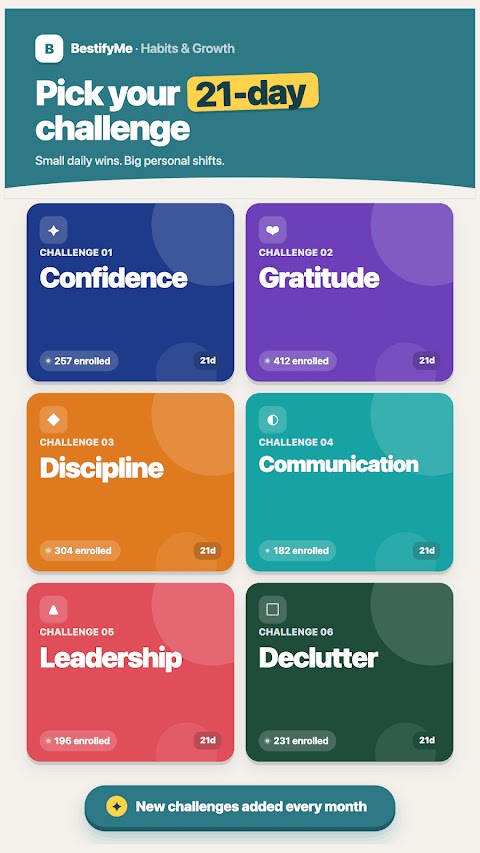
Confidence, discipline, communication, morning routines, leadership, emotional intelligence, decluttering, gratitude and more. You choose one and start it; the app does not decide for you what you need to work on.
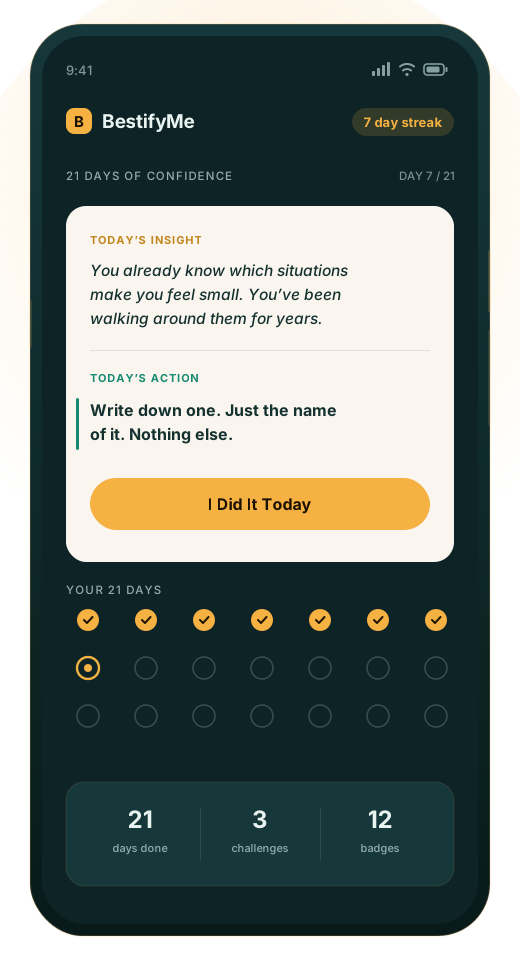
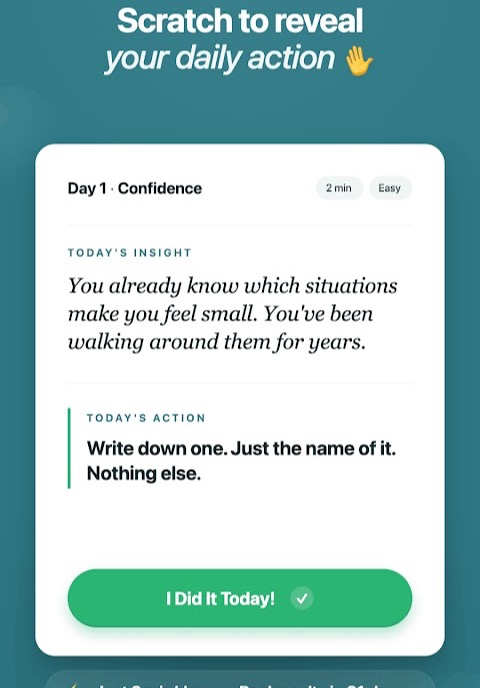
One action a day, a couple of minutes
Each day gives you a short prompt and one concrete thing to do — not an essay to read. The point is that it is small enough to do on a bad day, because the days you do not feel like it are the ones that decide whether a run survives.
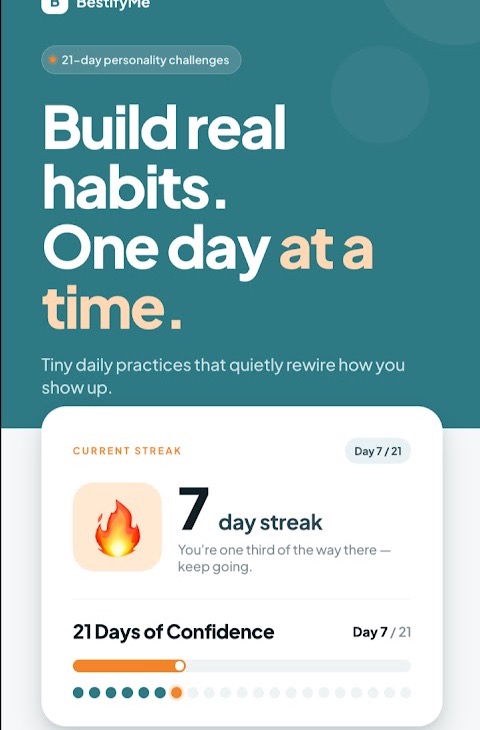
A 21-day grid and a streak
Twenty-one squares, filled in one at a time. A visible run is harder to break than an invisible intention — that is the entire mechanism, and it is not a subtle one.
Badges and a progress screen
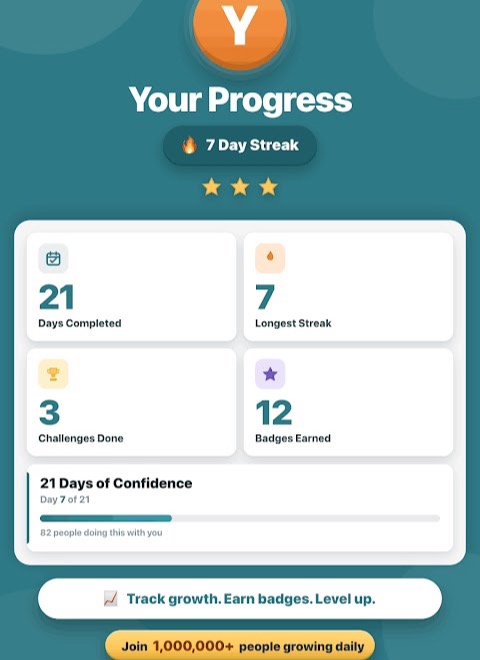
Days completed, longest streak, challenges finished, badges earned. Useful mostly for the second challenge, when you want to know whether the first one was a fluke.
A feed of other people’s days
A stream showing that other people are on day 4, day 12, day 7 of something. No profiles to maintain and nothing to post — it is there to make the thing feel less like talking to yourself.
Daily reminders
A nudge at the time you choose. On a one-action-a-day format the reminder is most of the product, because the failure mode is never difficulty — it is forgetting.
What it is not, and one thing about “21 days”
This is a structured prompt-a-day app. It is not therapy, not coaching, not a substitute for professional help with anything, and it does not diagnose or treat anything.
And on the number itself: twenty-one days is a format, not a scientific threshold. The popular “21 days to form a habit” figure traces back to a 1960 book about plastic-surgery patients, not to habit research. The best-known study on the question found habits took a median of about 66 days to become automatic, with an enormous spread between people and behaviours. Twenty-one days is a sensible length for a commitment you will actually finish — the longer answer is in the FAQ — and nothing on this site promises that the habit is permanent on day 22.
Getting started
Three steps, no account needed to look around
-
Install and pick one challenge
One, not four. Picking several at once is the most common way people quit in the first week.
-
Do the day’s action
Read the short prompt, do the thing, mark it done. If it takes longer than a couple of minutes, you are probably doing more than it asked.
-
Come back tomorrow
Set the reminder for a time you are reliably free. Miss a day, start the day again — the grid is a record, not a punishment.
The full guide covers choosing a challenge, what to do about missed days, and how to get through the middle week, which is the one that actually breaks runs.
Screens
The interface
Screenshots published by the developer on the Google Play listing. They are shown here trimmed of their promotional captions, so that what you see is the app rather than the advertising around it; the originals are on the listing. Layout differs a little between app versions.
Comparison
Why not a normal habit tracker, or just deciding to do it?
Both are reasonable. If you already know exactly what you want to do every day and only need somewhere to tick it off, a plain habit tracker is lighter and free. The difference here is that the content comes with the box.
| What you want | A habit tracker | This app |
|---|---|---|
| Tick off a habit you already defined | Exactly what it is for | Also does this |
| Be told what today’s action actually is | You decide, every day | The challenge supplies one |
| Work on something vague like “confidence” | Hard to turn into a checkbox | Broken into 21 concrete daily actions |
| A defined end point | Usually open-ended | Twenty-one days, then it is finished |
| Track many habits at once | Its strength | Built around one challenge at a time |
| No ads, no prompts, full control | Many are free and ad-light | Free version shows ads |
The honest summary: this is for the case where the hard part is not remembering, but knowing what to actually do tomorrow.
Pricing
What it costs, stated plainly
Free to install
You can install it, browse the challenges, start one and work through the daily actions without paying. There is no trial clock counting down on the first challenge.
The Google Play listing carries a Contains ads badge: the free version is funded by advertising shown inside the app.
Optional purchases
The listing also carries an In-app purchases badge, priced by Google Play at $0.49–$19.99 per item. The upgrade is what the app offers when you try to run more than one challenge at the same time, and it is also how ads are removed.
Prices are set on Google Play and shown in your own currency there — treat the figures here as indicative, and read the purchase screen in the app, which is the authoritative description of what a given item unlocks and whether it recurs.
Payments, refunds and purchase history are handled entirely by Google Play. This website never takes a payment and cannot see what you have bought. If an item is sold as a subscription, it is managed and cancelled in your Google Play account settings, not here and not in the app — where to check.
Permissions and data
What the app asks for, and why
A short list, and one entry in the data declaration that deserves reading twice. The authoritative version is on the Play listing under Data safety and App permissions.
| Permission | What it is for |
|---|---|
| Camera | Taking a photo for your profile or for a challenge action that asks for one. Nothing is captured unless you start it, and the daily actions work without it. |
| Full network access, view and change network connectivity, Wi-Fi connection information | Loads challenge content and the community feed, and serves the advertising in the free version. |
| Control vibration, prevent the device from sleeping | Drives the daily reminder and keeps the screen awake while a timed action is running. |
| Google Play licence check | Confirms a purchase belongs to your account when restoring it. |
The part worth reading twice
In its Google Play data safety declaration the developer states that the app may share precise location with third parties, for advertising or marketing and for personalisation, and that it collects app info and performance data for analytics. That is a lot of precision for an app that gives you a prompt each morning, and it comes from the advertising side of a free app rather than from the challenges.
The same declaration states that data is encrypted in transit and that you can request that data be deleted. If the trade is not one you want to make, that is worth knowing before installing rather than after. The app has its own privacy policy, separate from this website’s, and the current version of the declaration is always the one on the Play listing.
FAQ
Common questions
Does it really take 21 days to build a habit?
No, and it is worth saying so on the page that is trying to get you to install a 21-day app. The figure comes from a 1960 self-help book, not from habit research; the best-known study on the question found a median of roughly 66 days, ranging from about 18 to 254 depending on the person and the behaviour. Twenty-one days is a good length for a commitment you will finish. Full answer.
What happens if I miss a day?
The streak breaks and the day sits unticked. The useful response is to do today’s action rather than to start the whole challenge over — a 21-day run with one gap is worth far more than three abandoned perfect starts.
Can I run several challenges at once?
The app will offer you an upgrade when you try. Whether that is a good idea is a different question: one challenge you finish beats three you abandon, and the app is built around one at a time for that reason.
Why does it ask for the camera?
For a profile photo and for challenge actions that ask you to photograph something. The daily prompts work fine if you decline it.
Is this therapy, coaching or medical advice?
None of the three. It is a structured list of small daily actions. If you are dealing with anxiety, depression or anything else that needs real help, this app is not a substitute for it and does not claim to be.
Start a 21-day challenge
Free to install from Google Play, with ads and optional purchases. Installed from Google Play only — this site never asks you to sideload an APK.